顯示具有 pfsense 標籤的文章。 顯示所有文章

2025年5月2日 星期五

pfSense + FortiGate 整合測試

 pfSense + FortiGate VPN 登入驗證使用  OTP 

先前導讀相關 Blog 

FreeRADIUS 搭配 Google Authenticator 完成 2FA [ 透過 pfSense ]

https://xrcd2.blogspot.com/2025/04/freeradius-google-authenticator-2fa.html

相關運用圖解如下 :                    PS: 圖左功能可由 pfSense 取代


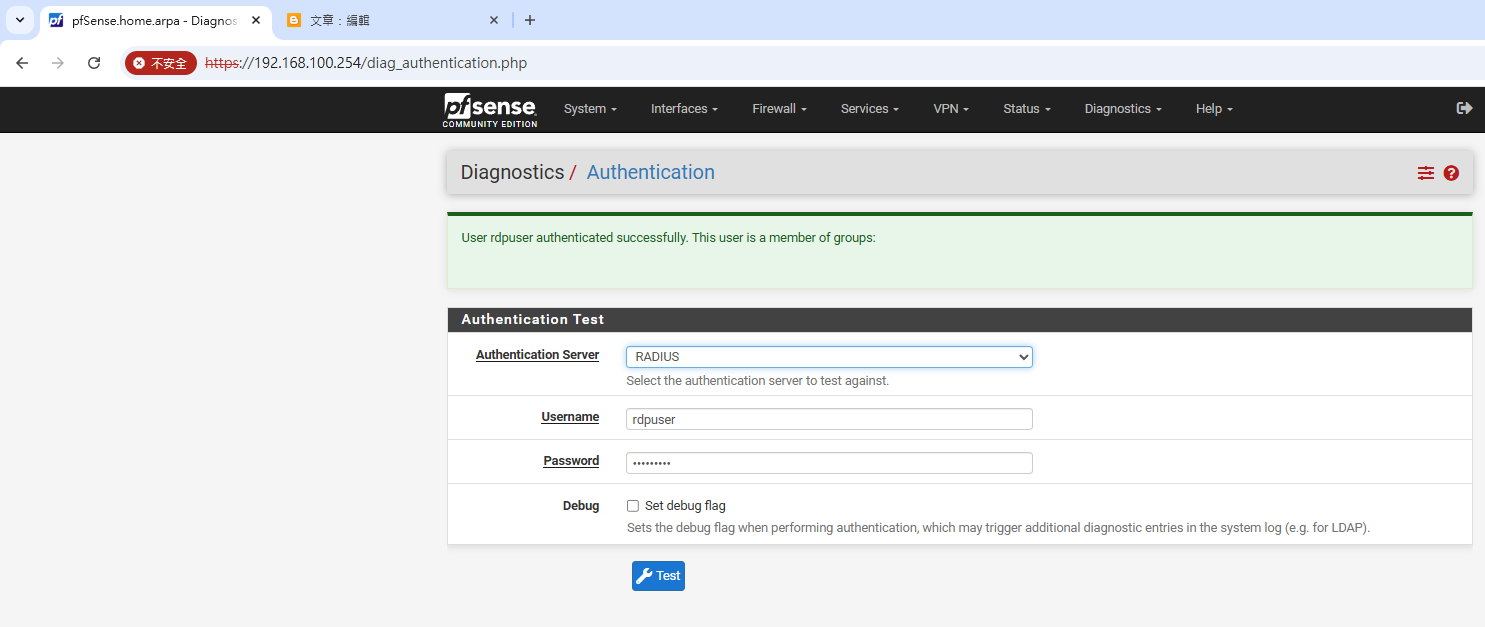
重點設定圖示及功能驗證如下:


2025年4月25日 星期五

pfSense 整合 Windows AD 測試


(1) pfSense 本機   整合 Windows AD


重要設定節錄

System / User Manager / Authentication Servers / Edit

Authentication Servers


Search scopeLevel

==> one Level

Base DN


==> DC=otp,DC=ai


Authentication containers


==> CN=Users,DC=otp,DC=ai;OU=Domain Controllers,DC=otp,DC=ai


Bind credentials


==> CN=administrator,CN=users,DC=otp,DC=ai


User naming attribute


==> samAccountName


=================================================

(2) pfSense 本機   整合自身 FreeRADIUS 服務及Windows AD


重要設定節錄

Services / FreeRADIUS / LDAP


Identity

==> CN=administrator,CN=users,DC=otp,DC=ai


Base DN

==> DC=otp,DC=ai

Filter

==>(sAMAccountName=%{%{Stripped-User-Name}:-%{User-Name}})


Base Filter

==> objectClass=user


================================================

(3)驗證


 ldapsearch 


[2.7.2-RELEASE][admin@pfSense.home.arpa]/var/log:  ldapsearch -x -H "ldap://192.168.100.168" -b "OU=IT,DC=otp,DC=ai" -D "CN=Administrator,CN=Users,DC=otp,DC=ai" -w "XXXXXXXXX" | grep "sAMAccountName"

sAMAccountName: it-admin


#vi /usr/local/etc/raddb/sites-enabled/default


authorize {
        ldap
        if (ok || updated)  {
        update control {
        Auth-Type := ldap
        }
        }
}
authenticate {
        Auth-Type LDAP {
                ldap
        }
}


#echo 'radiusd_enable="YES"' >> /etc/rc.conf


#/usr/local/etc/rc.d/radiusd  restart 


2025年4月13日 星期日

FreeRADIUS 搭配 Google Authenticator 完成 2FA [ 透過 pfSense ]

 使用軟體 pfsense

https://www.pfsense.org/


關於這個主題我之前寫的筆記

https://xrcd2.blogspot.com/2015/03/vyos-openvpn-plugin-otp-sop.html

https://xrcd2.blogspot.com/2016/01/cisco-radius-otp.html

https://xrcd2.blogspot.com/2016/09/vyosopenvpnmfa.html

https://xrcd2.blogspot.com/2024/06/how-to-use-otp-login-windows-vyos.html


以往都透過 Linux 安裝 FreeRADIUS 搭配 Google Authenticator 完成 2FA

後來在網上發現使用 pfsense 更簡單些,以下實驗內網IP為 192.168.100.0/24 GW 254

先將 pfsense 的 WAN Port 設定為 192.168.100.x , 系統預設 LAN Port IP 192.168.1.1/24

更新  pfsense 後,安裝 FreeRADIUS 後,刪除 WAN port IP 再將 LAN Port IP 設定成 192.168.1.254  


重要設定畫面節錄如下:


透過 CLI 變更 IP 設定後