2022年4月29日 星期五

GlusterFS + Samba

 最近有人問我如何建 DRDB ,但我之前沒留筆記,加這之前透過 google 很快的就建好了 DRDB

我只記得當初那個專案的內容為二台 CentOS 透過 Keepalived 去做 HA,DRDB的重點則用在 PostgreSQL 的 HA.

簡單的說就是做出 PostgreSQL的 HA (Active/Standby),供 Zabbix 使用.

而我最近則是使用 MariaDB Cluster去做 MySQL 的 HA (Active/Active),供 Librenms 使用,

HA 的 VIP 一樣是用 Keepalived.

但他的需求不是用在 DB 上,而是想去做 Samba 的 HA,但我想到的一個問題是,如果透過 DRBD 去做 HA 的話,會受限 DRDB 的機制,必然是一個  A/S 的架構,另一個問題是它是用  Block level disk replication,平時無法驗證檔案是否真的有複寫成功,除非 Remount replicated disk才可去驗證,或做 HA 切換演練去驗證.另一個問題則是 Active GG 後, A/S 的角色互換問題與重建.

假設 Active/Standby 的機器沒在監控它的 DRDB 機制是否運作正常?會不會有一天, HA 切換後才發現 Samba 的東西短少了!?  


經過 goolge 後,發現 GlusterFS +  Samba (CTDB) 這個組合比 DRDB + Samba 還要優一些,而且是 A/A 的架構

Byte-level file replication VS Block-level disk replication 我個人是比較推崇 GlusterFS 的.


以下為個人做的建制小筆記.


架構說明:


(1) fsa 192.168.100.111

(2) fsb 192.168.100.112

(3) vip 192.168.100.100


CentOS 7.9 + Clusterfs 9.5


參考 URL

https://www.server-world.info/en/note?os=CentOS_7&p=glusterfs9&f=1

https://www.server-world.info/en/note?os=CentOS_7&p=glusterfs9&f=5

https://wiki.samba.org/index.php/CTDB_and_Clustered_Samba


=========================================================

vi /etc/hosts

yum install centos-release-gluster

yum install centos-release-gluster glusterfs-server centos-release-samba samba samba-vfs-glusterfs

yum -y install centos-release-samba411

yum --enablerepo=centos-samba411 -y install samba ctdb samba-vfs-glusterfs


fdisk -l

fdisk /dev/sdb

mkfs.xfs /dev/sdb1

mkdir -p /bricks/brick1

mount /dev/sdb1 /bricks/brick1

vi /etc/fstab 

systemctl enable glusterd.service

systemctl start glusterd.service

gluster peer probe fsb

gluster peer status

gluster volume create glustervol1 replica 2 transport tcp fsa:/bricks/brick1/brick fsb:/bricks/brick1/brick

gluster volume start glustervol1

gluster volume info all

gluster volume stop glustervol1

gluster volume set glustervol1 user.smb enable

gluster volume set glustervol1 performance.write-behind off

gluster volume set glustervol1 group samba

vi /var/lib/glusterd/hooks/1/start/post/S29CTDBsetup.sh

vi /var/lib/glusterd/hooks/1/stop/pre/S29CTDB-teardown.sh

gluster volume start glustervol1

df -h /gluster/lock

tail -1 /etc/fstab

vi /etc/ctdb/nodes

ip add

vi /etc/ctdb/public_addresses

systemctl enable --now ctdb

ctdb status

ctdb ip

mount -t glusterfs fsa:/glustervol1 /mnt

mkdir /mnt/smbshare

groupadd smbgroup

chgrp smbgroup /mnt/smbshare

chmod 770 /mnt/smbshare

umount /mnt

vi /etc/samba/smb.conf

systemctl enable --now smb

useradd cent

smbpasswd -a cent

usermod -aG smbgroup cent

systemctl restart smb


Gluster Replication + CTDB


Architecture


2022年3月11日 星期五

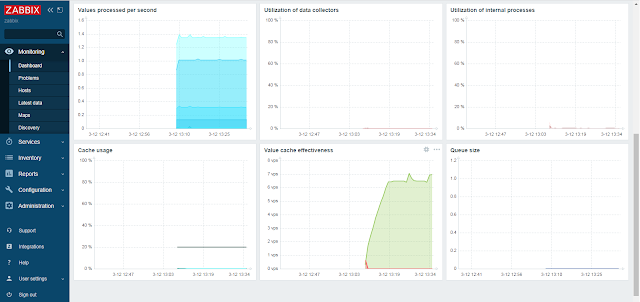
Zabbix 6.0 試裝

 安裝 postgresql server 14 


https://www.postgresql.org/download/linux/redhat/


# Install the repository RPM:


sudo dnf install -y https://download.postgresql.org/pub/repos/yum/reporpms/EL-8-x86_64/pgdg-redhat-repo-latest.noarch.rpm


# Disable the built-in PostgreSQL module:

sudo dnf -qy module disable postgresql


# Install PostgreSQL:

sudo dnf install -y postgresql14-server


# Optionally initialize the database and enable automatic start:

sudo /usr/pgsql-14/bin/postgresql-14-setup initdb

sudo systemctl enable postgresql-14

sudo systemctl start postgresql-14


安裝 zabbix 6.0 + Rocky Linux release 8.5 (Green Obsidian) + Apache + Postgresq 14 + Timescaledb-2


https://www.zabbix.com/download?zabbix=6.0&os_distribution=centos&os_version=8&db=postgresql&ws=apache


安裝 timescaledb-2-postgresql-14


export SPLUNK_HOME=/opt/splunk


PATH=$PATH:/usr/pgsql-14/bin/

export PATH

PGDATA=/var/lib/pgsql/14/data

export PGDATA


Timescale_timescaledb 參考文件及設定


https://docs.timescale.com/install/latest/self-hosted/installation-redhat/#install-self-hosted-timescaledb-on-red-hat-based-systems


Create the Timescale repository:


tee /etc/yum.repos.d/timescale_timescaledb.repo <<EOL

[timescale_timescaledb]

name=timescale_timescaledb

baseurl=https://packagecloud.io/timescale/timescaledb/el/$(rpm -E %{rhel})/\$basearch

repo_gpgcheck=1

gpgcheck=0

enabled=1

gpgkey=https://packagecloud.io/timescale/timescaledb/gpgkey

sslverify=1

sslcacert=/etc/pki/tls/certs/ca-bundle.crt

metadata_expire=300

EOL


[root@rocky ~]# timescaledb-tune

Using postgresql.conf at this path:

/var/lib/pgsql/14/data/postgresql.conf


Is this correct? [(y)es/(n)o]: y

Writing backup to:

/tmp/timescaledb_tune.backup202203121248


shared_preload_libraries needs to be updated

Current:

#shared_preload_libraries = ''

Recommended:

shared_preload_libraries = 'timescaledb'

Is this okay? [(y)es/(n)o]: y

success: shared_preload_libraries will be updated


Tune memory/parallelism/WAL and other settings? [(y)es/(n)o]: y

Recommendations based on 7.75 GB of available memory and 4 CPUs for PostgreSQL 14


Memory settings recommendations

Current:

shared_buffers = 128MB

#effective_cache_size = 4GB

#maintenance_work_mem = 64MB

#work_mem = 4MB

Recommended:

shared_buffers = 1983MB

effective_cache_size = 5950MB

maintenance_work_mem = 1015528kB

work_mem = 5077kB

Is this okay? [(y)es/(s)kip/(q)uit]: y

success: memory settings will be updated


Parallelism settings recommendations

Current:

missing: timescaledb.max_background_workers

#max_worker_processes = 8

#max_parallel_workers_per_gather = 2

#max_parallel_workers = 8

Recommended:

timescaledb.max_background_workers = 8

max_worker_processes = 15

max_parallel_workers_per_gather = 2

max_parallel_workers = 4

Is this okay? [(y)es/(s)kip/(q)uit]: y

success: parallelism settings will be updated


WAL settings recommendations

Current:

#wal_buffers = -1

min_wal_size = 80MB

Recommended:

wal_buffers = 16MB

min_wal_size = 512MB

Is this okay? [(y)es/(s)kip/(q)uit]: y

success: WAL settings will be updated


Miscellaneous settings recommendations

Current:

#default_statistics_target = 100

#random_page_cost = 4.0

#checkpoint_completion_target = 0.9

#max_locks_per_transaction = 64

#autovacuum_max_workers = 3

#autovacuum_naptime = 1min

#effective_io_concurrency = 1

Recommended:

default_statistics_target = 500

random_page_cost = 1.1

checkpoint_completion_target = 0.9

max_locks_per_transaction = 64

autovacuum_max_workers = 10

autovacuum_naptime = 10

effective_io_concurrency = 256

Is this okay? [(y)es/(s)kip/(q)uit]: y

success: miscellaneous settings will be updated

Saving changes to: /var/lib/pgsql/14/data/postgresql.conf

[root@rocky ~]#


Zabbix 啟用  Timescaledb


https://www.zabbix.com/documentation/current/en/manual/appendix/install/timescaledb


[root@rocky tmp]# echo "CREATE EXTENSION IF NOT EXISTS timescaledb CASCADE;" | sudo -u postgres psql zabbix

WARNING:

WELCOME TO

 _____ _                               _     ____________

|_   _(_)                             | |    |  _  \ ___ \

  | |  _ _ __ ___   ___  ___  ___ __ _| | ___| | | | |_/ /

  | | | |  _ ` _ \ / _ \/ __|/ __/ _` | |/ _ \ | | | ___ \

  | | | | | | | | |  __/\__ \ (_| (_| | |  __/ |/ /| |_/ /

  |_| |_|_| |_| |_|\___||___/\___\__,_|_|\___|___/ \____/

               Running version 2.6.0

For more information on TimescaleDB, please visit the following links:


 1. Getting started: https://docs.timescale.com/timescaledb/latest/getting-started

 2. API reference documentation: https://docs.timescale.com/api/latest

 3. How TimescaleDB is designed: https://docs.timescale.com/timescaledb/latest/overview/core-concepts


Note: TimescaleDB collects anonymous reports to better understand and assist our users.

For more information and how to disable, please see our docs https://docs.timescale.com/timescaledb/latest/how-to-guides/configuration/telemetry.


CREATE EXTENSION


=====================


匯入 Zabbix  schema 等資料


[root@rocky tmp]# zcat /usr/share/doc/zabbix-sql-scripts/postgresql/server.sql.gz | sudo -u zabbix psql zabbix


[root@rocky tmp]# cat /usr/share/doc/zabbix-sql-scripts/postgresql/timescaledb.sql | sudo -u zabbix psql zabbix


先前的 LAB https://xrcd2.blogspot.com/search/label/Zabbix


2021年9月26日 星期日

LibreNMS平均CPU使用率監控功能

  最近有一個需求是要去CPU的監控,但使用的方式為 

processors.processor_usage >= processor_perc_warn

這個方式去監控是依據每一顆CPU去做監控的.如果該主機有 8 顆CPU,

其中有 1 顆 超過告警值 即會發出告警,但其它 7 顆可能沒那麼重的 loading .

這種方式的監控似乎不是那麼合理.理想的情境應是依 這 8 顆的平均值去做告警才是.

在 官方 https://docs.librenms.org/Alerting/Rules/ 的 Advanced 處,

有看到一個 SQL 語法.


SELECT *,AVG(processors.processor_usage) as cpu_avg FROM devices,processors WHERE (devices.device_id = ? AND devices.device_id = processors.device_id) AND (devices.status = 1 && (devices.disabled = 0 && devices.ignore = 0)) = 1 HAVING AVG(processors.processor_usage) > 10


後來試一下真的可以用.

壓測方式

[root@librenms CPULoadGenerator]# python3.6 -m cpu_load_generator -l 0.8 -d 600 -c -1

使用工具

https://pypi.org/project/cpu-load-generator/


Project description


CPU Load Generator


This package allows to generate a fixed CPU load for a finite time period. 

The script takes in input the desired CPU load, the duration of the experiment 

and the CPU core or all cores on which the load has to be generated.


Python versions This master branch refers to Python versions 3.x


Dependencies Installment of psutil is required 

(it is already set as dependency in the setup.py)


Install psutil:


pip install psutil

Other dependencies for unit tests and linters:


pip install mock pytest flake8 tox

Usage To generate 20% of load on core 0 for 20 seconds run:


python -m cpu_load_generator -l 0.2 -d 20 -c 0

To generate 50% of load on all logical cores for 20 seconds run:


python -m cpu_load_generator -l 0.5 -d 20 -c -1

There is an option to run CPU load based on profile file. An exemplary profile 

is under load_profiles/default_profile.json. In order to run generator based on

a profile issue the following command:


python -m cpu_load_generator -p <path_to_profile_json>

To use the package features from python code:


Install the package from PyPi by issuing the following command:


python -m pip instal cpu-load-generator

To use its features from your code:


from cpu_load_generator import load_single_core, load_all_cores, from_profile


load_single_core(core_num=0, duration_s=20, target_load=0.4)  # generate load on single core (0)

load_all_cores(duration_s=30, target_load=0.2)  # generates load on all cores

from_profile(path_to_profile_json=r"c:\profiles\profile1.json")


DEMO


2021年9月25日 星期六

LibreNMS 外掛 Service 監控功能

源自 Nagios Plugins - Services 

https://docs.librenms.org/Extensions/Services/

Demo


Setting

======================================================


Service


{{ $alert->title }}

@if ($alert->faults)

@foreach ($alert->faults as $key => $value) {{ $value['service_desc'] }} - {{ $value['service_type'] }}

{{ $value['service_message'] }}

@endforeach

@endif


Error=========

Service: {{ $value['service_name'] }} {{ $value['service_type'] }}

=============

=========================================================

Other

SELECT * FROM devices,services WHERE (devices.device_id = ? AND devices.device_id = services.device_id) AND services.service_status != 0 AND (devices.status = 1 && (devices.disabled = 0 && devices.ignore = 0)) = 1


2021年7月28日 星期三

L2TP over IPsec VPN on VyOS / Vyatta


VPN Topology (Client to Site VPN)


L2TP  Client  <--> Firewall<---> Internet<---->Firewall<--->VyOS-L2TP-Server


VyOS Setting 


 vyos@vyos:~$ show configuration commands

set interfaces ethernet eth0 address '10.1.1.254/24'

set interfaces ethernet eth0 duplex 'auto'

set interfaces ethernet eth0 hw-id '00:0d:30:bb:72:57'

set interfaces ethernet eth0 smp-affinity 'auto'

set interfaces ethernet eth0 speed 'auto'

set interfaces loopback lo

set nat source rule 110 outbound-interface 'eth0'

set nat source rule 110 source address '192.168.1.0/24'

set nat source rule 110 translation address 'masquerade'

set protocols static route 0.0.0.0/0 next-hop 10.1.1.1

set service ssh port '22'

set system config-management commit-revisions '100'

set system console device ttyS0 speed '9600'

set system host-name 'vyos'

set system login user vyos authentication encrypted-password ''

set system login user vyos authentication plaintext-password ''

set system login user vyos level 'admin'

set system name-server '168.95.1.1'

set system ntp server clock.hinet.net

set system syslog global facility all level 'info'

set system syslog global facility protocols level 'debug'

set system time-zone 'Asia/Taipei'

set vpn ipsec esp-group l2tp compression 'disable'

set vpn ipsec esp-group l2tp lifetime '3600'

set vpn ipsec esp-group l2tp mode 'tunnel'

set vpn ipsec esp-group l2tp pfs 'dh-group2'

set vpn ipsec esp-group l2tp proposal 1 encryption 'aes128'

set vpn ipsec esp-group l2tp proposal 1 hash 'sha1'

set vpn ipsec ike-group l2tp close-action 'none'

set vpn ipsec ike-group l2tp ikev2-reauth 'no'

set vpn ipsec ike-group l2tp key-exchange 'ikev2'

set vpn ipsec ike-group l2tp lifetime '3600'

set vpn ipsec ike-group l2tp proposal 1 dh-group '2'

set vpn ipsec ike-group l2tp proposal 1 encryption 'aes128'

set vpn ipsec ike-group l2tp proposal 1 hash 'sha1'

set vpn ipsec ipsec-interfaces interface 'eth0'

set vpn ipsec logging log-level '1'

set vpn ipsec logging log-modes 'any'

set vpn ipsec nat-networks allowed-network 0.0.0.0/0

set vpn ipsec nat-traversal 'enable'

set vpn l2tp remote-access authentication local-users username VPNUser1 password 'User1Password'

set vpn l2tp remote-access authentication local-users username VPNUser2 password 'User2Password'

set vpn l2tp remote-access authentication mode 'local'

set vpn l2tp remote-access client-ip-pool start '192.168.1.50'

set vpn l2tp remote-access client-ip-pool stop '192.168.1.100'

set vpn l2tp remote-access dns-servers server-1 '8.8.8.8'

set vpn l2tp remote-access idle '1800'

set vpn l2tp remote-access ipsec-settings authentication mode 'pre-shared-secret'

set vpn l2tp remote-access ipsec-settings authentication pre-shared-secret 'L2TP-PASSWORD'

set vpn l2tp remote-access ipsec-settings ike-lifetime '3600'

set vpn l2tp remote-access ipsec-settings lifetime '3600'

set vpn l2tp remote-access mtu '1492'

set vpn l2tp remote-access outside-address '0.0.0.0'

vyos@vyos:~$


=================================================


vyos@vyos:~$  show vpn debug

Status of IKE charon daemon (strongSwan 5.7.2, Linux 4.19.195-amd64-vyos, x86_64):

  uptime: 25 minutes, since Jul 29 01:13:44 2021

  malloc: sbrk 2973696, mmap 0, used 813120, free 2160576

  worker threads: 11 of 16 idle, 5/0/0/0 working, job queue: 0/0/0/0, scheduled: 1

  loaded plugins: charon test-vectors ldap pkcs11 tpm aesni aes rc2 sha2 sha1 md5 mgf1

  rdrand random nonce x509 revocation constraints pubkey pkcs1 pkcs7 pkcs8 pkcs12 pgp 

 dnskey sshkey pem openssl gcrypt af-alg fips-prf gmp curve25519 agent chapoly xcbc cmac 

 hmac ctr ccm gcm curl attr kernel-netlink resolve socket-default connmark stroke vici 

 updown eap-identity eap-aka eap-md5 eap-gtc eap-mschapv2 eap-radius eap-tls eap-ttls 

 eap-tnc xauth-generic xauth-eap xauth-pam tnc-tnccs dhcp lookip error-notify certexpire 

 led addrblock counters

Listening IP addresses:

  10.1.1.254

Connections:

remote-access:  0.0.0.0...%any  IKEv1, dpddelay=15s

remote-access:   local:  [10.1.1.254] uses pre-shared key authentication

remote-access:   remote: uses pre-shared key authentication

remote-access:   child:  dynamic[0/l2f] === dynamic TRANSPORT, dpdaction=clear

Security Associations (1 up, 0 connecting):

remote-access[1]: ESTABLISHED 11 minutes ago, 10.1.1.254[10.1.1.254]...114.35.xxx.xxx[192.168.1.51]

remote-access[1]: IKEv1 SPIs: 6e74c683a4e351d3_i 0cc2f51574ea4e80_r*, rekeying disabled

remote-access[1]: IKE proposal: 3DES_CBC/HMAC_SHA1_96/PRF_HMAC_SHA1/MODP_1024

remote-access{1}:  INSTALLED, TRANSPORT, reqid 1, ESP in UDP SPIs: cc8f0e29_i ce27b6dd_o

remote-access{1}:  3DES_CBC/HMAC_SHA1_96, 438878 bytes_i, 420717 bytes_o (1724 pkts, 14s ago), rekeying disabled

remote-access{1}:   10.1.1.254/32[udp/l2f] === 114.35.xxx.xxx/32[udp/l2f]


=================================================

Reference

https://docs.vyos.io/en/latest/configuration/vpn/l2tp.html

https://support.vyos.io/en/kb/articles/l2tp-over-ipsec-vpn-2

https://brezular.com/2019/06/01/l2tp-ipsec-remote-access-vpn-on-vyos/


===========================================


Firewall Policy Rule  (https://support.vyos.io/en/kb/articles/l2tp-over-ipsec-vpn-2)


UDP port 500 (IKE)

IP protocol number 50 (ESP)

UDP port 1701 for IPsec

As well as the below to allow NAT-traversal 


(when NAT is detected by the VPN client, ESP is encapsulated in UDP for NAT-traversal):


UDP port 4500 (NAT-T)


=============================================

Debug CLI

vyos@vyos:~$  show vpn ipsec state

vyos@vyos:~$  show vpn ipsec status

vyos@vyos:~$  show vpn debug

vyos@vyos:~$  show log vpn all

vyos@vyos:~$  show vpn remote-access


======================================

Other

configure-l2tp-ipsec-server-behind-nat-t-device (Windows)

https://docs.microsoft.com/en-US/troubleshoot/windows-server/networking/configure-l2tp-ipsec-server-behind-nat-t-device


Set AssumeUDPEncapsulationContextOnSendRule registry key


To create and configure the AssumeUDPEncapsulationContextOnSendRule registry value, follow these steps:


1.Log on to the Windows Vista client computer as a user who is a member of the Administrators group.


2.Select Start > All Programs > Accessories > Run, type regedit, and then select OK. If the 


User Account Control dialog box is displayed on the screen and prompts you to elevate your 

administrator token, select Continue.


3. Locate and then select the following registry subkey:


HKEY_LOCAL_MACHINE\SYSTEM\CurrentControlSet\Services\PolicyAgent


=======================================================


 Note


You can also apply the AssumeUDPEncapsulationContextOnSendRule DWORD value to a 

Microsoft Windows XP Service Pack 2 (SP2)-based VPN client computer. To do so, 

locate and then select the 


HKEY_LOCAL_MACHINE\SYSTEM\CurrentControlSet\Services\IPSec registry subkey.


======================================================


4. On the Edit menu, point to New, and then select DWORD (32-bit) Value.


5. Type AssumeUDPEncapsulationContextOnSendRule, and then press ENTER.


6. Right-click AssumeUDPEncapsulationContextOnSendRule, and then select Modify.


7. In the Value Data box, type one of the following values:


0.

It's the default value. When it's set to 0, Windows can't establish security 

associations with servers located behind NAT devices.


1.

When it's set to 1, Windows can establish security associations with 

servers that are located behind NAT devices.


2.

When it's set to 2, Windows can establish security associations when 

both the server and VPN client computer 

        (Windows Vista or Windows Server 2008-based) 

are behind NAT devices.


8. Select OK, and then exit Registry Editor.


9. Restart the computer.

========================================


Windows Registry Editor Version 5.00

[HKEY_LOCAL_MACHINE\SYSTEM\CurrentControlSet\Services\PolicyAgent]

"AssumeUDPEncapsulationContextOnSendRule"=dword:00000002

2021年6月20日 星期日

使用 Container 去 Build VyOS ISO 小筆記

 前導文件:

vyos [ vyatta ]

http://xrcd2.blogspot.tw/2014/09/vyos-vyatta.html

VyOS OpenVpn Plugin OTP ( SOP )

http://xrcd2.blogspot.tw/2015/03/vyos-openvpn-plugin-otp-sop.html

VyOS+OpenVPN+MFA

http://xrcd2.blogspot.tw/2016/09/vyosopenvpnmfa.html

使用 Debian 8.9 去 Build VyOS ISO 小筆記

http://xrcd2.blogspot.com/2017/10/debian-89-build-vyos-iso.html


LAB

yum -y install yum-utils device-mapper-persistent-data lvm2 git wget

yum-config-manager --add-repo https://download.docker.com/linux/centos/docker-ce.repo

yum -y install docker-ce docker-ce-cli containerd.io

systemctl start docker

systemctl enable docker


git clone -b crux --single-branch https://github.com/vyos/vyos-build

cd vyos-build

docker run --rm -it --privileged -v $(pwd):/vyos -w /vyos vyos/vyos-build:crux bash


./configure --architecture amd64 --build-by "xrcd2@OOXX.com" --build-type release --version 1.2.7

make iso


參考文件

https://docs.docker.com/engine/install/centos/

https://docs.vyos.io/en/latest/contributing/build-vyos.html

https://www.blog.slow-fire.net/2021/04/09/vyos%E3%82%B3%E3%83%B3%E3%83%91%E3%82%A4%E3%83%AB-1-2-7/

https://qiita.com/s64s_y/items/f2b32f4ba257fbab9358


2020年2月13日 星期四

PCAP Analyzer for Splunk

Splunk APP URL

https://splunkbase.splunk.com/app/2748/

GETTING STARTED

https://schwartzdaniel.com/pcap-analyzer-for-splunk-getting-started/


# dnf install wireshark

# tshark --version

# chown splunk.splunk -R /opt/splunk/etc/apps/SplunkForPCAP


[root@centos8 apps]# pwd
/opt/splunk/etc/apps
[root@centos8 apps]# ll
total 0
drwxr-xr-x  7 splunk splunk  79 Feb 14 10:04 alert_logevent
drwxr-xr-x  7 splunk splunk  79 Feb 14 10:04 alert_webhook
drwxr-xr-x  4 splunk splunk  37 Feb 14 10:04 appsbrowser
drwxr-xr-x  6 splunk splunk  68 Feb 14 10:04 gettingstarted
drwxr-xr-x  4 splunk splunk  32 Feb 14 10:04 introspection_generator_addon
drwxr-xr-x  6 splunk splunk  68 Feb 14 10:04 launcher
drwxr-xr-x  5 splunk splunk  50 Feb 14 10:05 learned
drwxr-xr-x  3 splunk splunk  21 Feb 14 10:04 legacy
drwxr-xr-x  6 splunk splunk  66 Feb 14 10:04 sample_app
drwxr-xr-x  9 splunk splunk 109 Feb 14 10:04 search
drwxr-xr-x  6 splunk splunk  64 Feb 14 10:17 splunk_archiver
drwxr-xr-x 11 splunk splunk 179 Feb 14 10:14 SplunkForPCAP
drwxr-xr-x  4 splunk splunk  37 Feb 14 10:04 SplunkForwarder
drwxr-xr-x  7 splunk splunk 130 Feb 14 10:04 splunk_gdi
drwxr-xr-x  3 splunk splunk  21 Feb 14 10:04 splunk_httpinput
drwxr-xr-x  8 splunk splunk  92 Feb 14 10:05 splunk_instrumentation
drwxr-xr-x  4 splunk splunk  37 Feb 14 10:04 SplunkLightForwarder
drwxr-xr-x  8 splunk splunk  96 Feb 14 10:04 splunk_metrics_workspace
drwxr-xr-x 11 splunk splunk 135 Feb 14 10:05 splunk_monitoring_console
drwxr-xr-x  4 splunk splunk  37 Feb 14 10:04 user-prefs
[root@centos8 apps]#


2019年8月23日 星期五

Switched Port Analyzer (SPAN) 試作 ( NetFlow )

簡要架構說明:

Linux eth0 預備接收從 Switch Mirror 過來的網路封包介面
           eth1 預備將來使用 NetFlow 軟體的 web 登入介面

透過 nprobe / fprobe  這一類的程式,將特定網卡介面的網路封包,
轉導給 NetFlow 軟體做分析與使用!

如下圖所示:

nprobe

https://www.ntop.org/products/netflow/nprobe/


nprobe 可使用 yum 安裝即可,參考的 URL 如下:

http://packages.ntop.org/centos/

如使用 fprobe  可參考如下步驟:

yum install libpcap-devel -y

wget http://sourceforge.net/projects/fprobe/files/fprobe/1.1/fprobe-1.1.tar.bz2
tar jxvf fprobe-1.1.tar.bz2
cd fprobe-1.1/
./configure
make
make install

使用的參考指令如下:

fprobe -i eth0 127.0.0.1:9996


其它參考資訊

(1)

NetFlow Analyzer

https://www.manageengine.com/products/netflow/


nProbe and NetFlow Analyzer

https://blogs.manageengine.com/network/netflowanalyzer/2011/05/19/nprobe-and-netflow-analyzer.html

(2)

NetFlow Traffic Analyzer

https://www.solarwinds.com/netflow-traffic-analyzer


NTA - How to configure nProbe to export flows to Solarwinds NTA

https://support.solarwinds.com/SuccessCenter/s/article/NTA-How-to-configure-nProbe-to-export-flows-to-Solarwinds-NTA


2019年6月16日 星期日

Zabbix 4.2 + TimescaleDB 安裝小筆記


Zabbix 4.2 + TimescaleDB


Zabbix 4.2 的新功能部份已支援 TimescaleDB,故留下這個小筆記,方便日後使用

(1) OS CentOS 7

(2) PostgreSQL 11

https://docs.timescale.com/v1.3/getting-started/installation/rhel-centos/installation-yum

PostgreSQL repository & Install

# yum install https://download.postgresql.org/pub/repos/yum/reporpms/EL-7-x86_64/pgdg-redhat-repo-latest.noarch.rpm

# yum install postgresql11

# yum install postgresql11-server

# /usr/pgsql-11/bin/postgresql-11-setup initdb

# systemctl enable postgresql-11

# systemctl start postgresql-11


Add PATH


PATH=$PATH:/usr/pgsql-11/bin/
export PATH
PGDATA=/var/lib/pgsql/11/data
export PGDATA


# vi /var/lib/pgsql/11/data/pg_hba.conf

local   all all md5
# or  local   all all trust
host    all     all     127.0.0.1/32 md5

# vi /var/lib/pgsql/11/data/postgresql.conf


# - Connection Settings -

listen_addresses = '*'       # what IP address(es) to listen on;
                                        # comma-separated list of addresses;
                                        # defaults to 'localhost'; use '*' for all
                                        # (change requires restart)
port = 5432                     # (change requires restart)
max_connections = 100  # (change requires restart)


(3) TimescaleDB 1.3


TimescaleDB repository & Install

sudo cat > /etc/yum.repos.d/timescale_timescaledb.repo <<EOL
[timescale_timescaledb]
name=timescale_timescaledb
baseurl=https://packagecloud.io/timescale/timescaledb/el/7/\$basearch
repo_gpgcheck=1
gpgcheck=0
enabled=1
gpgkey=https://packagecloud.io/timescale/timescaledb/gpgkey
sslverify=1
sslcacert=/etc/pki/tls/certs/ca-bundle.crt
metadata_expire=300
EOL

# yum update -y

# yum install -y timescaledb-postgresql-11


(4) Configure database

# timescaledb-tune


[root@centos75 ~]# timescaledb-tune
Using postgresql.conf at this path:
/var/lib/pgsql/11/data/postgresql.conf

Is this correct? [(y)es/(n)o]: y
Writing backup to:
/tmp/timescaledb_tune.backup201906151823

shared_preload_libraries needs to be updated
Current:
#shared_preload_libraries = ''
Recommended:
shared_preload_libraries = 'timescaledb'
Is this okay? [(y)es/(n)o]: y
success: shared_preload_libraries will be updated

Tune memory/parallelism/WAL and other settings? [(y)es/(n)o]: y
Recommendations based on 3.69 GB of available memory and 4 CPUs for PostgreSQL 11

Memory settings recommendations
Current:
shared_buffers = 128MB
#effective_cache_size = 4GB
#maintenance_work_mem = 64MB
#work_mem = 4MB
Recommended:
shared_buffers = 966208kB
effective_cache_size = 2830MB
maintenance_work_mem = 483104kB
work_mem = 2415kB
Is this okay? [(y)es/(s)kip/(q)uit]: y
success: memory settings will be updated

Parallelism settings recommendations
Current:
missing: timescaledb.max_background_workers
#max_worker_processes = 8
#max_parallel_workers_per_gather = 2
#max_parallel_workers = 8
Recommended:
timescaledb.max_background_workers = 8
max_worker_processes = 15
max_parallel_workers_per_gather = 2
max_parallel_workers = 4
Is this okay? [(y)es/(s)kip/(q)uit]: y
success: parallelism settings will be updated

WAL settings recommendations
Current:
#wal_buffers = -1
min_wal_size = 80MB
max_wal_size = 1GB
Recommended:
wal_buffers = 16MB
min_wal_size = 4GB
max_wal_size = 8GB
Is this okay? [(y)es/(s)kip/(q)uit]: y
success: WAL settings will be updated

Miscellaneous settings recommendations
Current:
#default_statistics_target = 100
#random_page_cost = 4.0
#checkpoint_completion_target = 0.5
#max_locks_per_transaction = 64
#effective_io_concurrency = 1
Recommended:
default_statistics_target = 500
random_page_cost = 1.1
checkpoint_completion_target = 0.9
max_locks_per_transaction = 64
effective_io_concurrency = 200
Is this okay? [(y)es/(s)kip/(q)uit]: y
success: miscellaneous settings will be updated
Saving changes to: /var/lib/pgsql/11/data/postgresql.conf
[root@centos75 ~]#


# systemctl restart postgresql-11


(4) Zabbix 4.2


https://www.zabbix.com/download?zabbix=4.2&os_distribution=centos&os_version=7&db=postgresql

Install Zabbix repository

# rpm -Uvh https://repo.zabbix.com/zabbix/4.2/rhel/7/x86_64/zabbix-release-4.2-1.el7.noarch.rpm

Install Zabbix server, frontend, agent

# yum -y install zabbix-server-pgsql zabbix-web-pgsql zabbix-agent

Create initial database

# sudo -u postgres createuser --pwprompt zabbix
# sudo -u postgres createdb -O zabbix zabbix

Import initial schema and data. You will be prompted to enter your newly created password.

# zcat /usr/share/doc/zabbix-server-pgsql*/create.sql.gz | sudo -u zabbix psql zabbix

========================================

https://www.zabbix.com/documentation/4.2/manual/appendix/install/timescaledb


[root@centos75 zabbix-server-pgsql-4.2.3]# pwd
/usr/share/doc/zabbix-server-pgsql-4.2.3
[root@centos75 zabbix-server-pgsql-4.2.3]# ll
total 2292
-rw-r--r-- 1 root root      98 Jun  7 18:18 AUTHORS
-rw-r--r-- 1 root root 1000750 Jun  7 18:19 ChangeLog
-rw-r--r-- 1 root root   17990 Jun  7 18:18 COPYING
-rw-r--r-- 1 root root 1305981 Jun  7 18:26 create.sql.gz
-rw-r--r-- 1 root root      52 Jun  7 18:18 NEWS
-rw-r--r-- 1 root root    1317 Jun  7 18:19 README
-rw-r--r-- 1 root root     219 Jun  7 18:19 timescaledb.sql.gz
[root@centos75 zabbix-server-pgsql-4.2.3]#

root@centos75 zabbix-server-pgsql-4.2.3]# echo "CREATE EXTENSION IF NOT EXISTS timescaledb CASCADE;" | sudo -u postgres psql zabbix
WARNING:
WELCOME TO
 _____ _                               _     ____________
|_   _(_)                             | |    |  _  \ ___ \
  | |  _ _ __ ___   ___  ___  ___ __ _| | ___| | | | |_/ /
  | | | |  _ ` _ \ / _ \/ __|/ __/ _` | |/ _ \ | | | ___ \
  | | | | | | | | |  __/\__ \ (_| (_| | |  __/ |/ /| |_/ /
  |_| |_|_| |_| |_|\___||___/\___\__,_|_|\___|___/ \____/
               Running version 1.3.1
For more information on TimescaleDB, please visit the following links:

 1. Getting started: https://docs.timescale.com/getting-started
 2. API reference documentation: https://docs.timescale.com/api
 3. How TimescaleDB is designed: https://docs.timescale.com/introduction/architecture

Note: TimescaleDB collects anonymous reports to better understand and assist our users.
For more information and how to disable, please see our docs https://docs.timescaledb.com/using-timescaledb/telemetry.

CREATE EXTENSION
[root@centos75 zabbix-server-pgsql-4.2.3]# zcat /usr/share/doc/zabbix-server-pgsql-4.2.3/timescaledb.sql.gz | sudo -u zabbix psql zabbix
  create_hypertable 
----------------------
 (1,public,history,t)
(1 row)

     create_hypertable   
---------------------------
 (2,public,history_uint,t)
(1 row)

    create_hypertable   
--------------------------
 (3,public,history_log,t)
(1 row)

     create_hypertable   
---------------------------
 (4,public,history_text,t)
(1 row)

    create_hypertable   
--------------------------
 (5,public,history_str,t)
(1 row)

  create_hypertable
---------------------
 (6,public,trends,t)
(1 row)

    create_hypertable   
--------------------------
 (7,public,trends_uint,t)
(1 row)

UPDATE 1
[root@centos75 zabbix-server-pgsql-4.2.3]#


=======================================

Configure the database for Zabbix server

vi  /etc/zabbix/zabbix_server.conf

--> DBPassword=password


Configure PHP for Zabbix frontend

vi /etc/httpd/config.d/zabbix.conf

--> php_value date.timezone Asia/Taipei


Start Zabbix server and agent processes

Start Zabbix server and agent processes and make it start at system boot:

# systemctl restart zabbix-server zabbix-agent httpd
# systemctl enable zabbix-server zabbix-agent httpd

其它參考的 URL

https://www.opensourcetech.tokyo/entry/20190510/1557484230

2019年1月11日 星期五

CentOS7 Pritunl OpenVPN

https://docs.pritunl.com/docs/getting-started

https://docs.pritunl.com/docs/installation

sudo tee /etc/yum.repos.d/mongodb-org-4.0.repo << EOF
[mongodb-org-4.0]
name=MongoDB Repository
baseurl=https://repo.mongodb.org/yum/redhat/7/mongodb-org/4.0/x86_64/
gpgcheck=1
enabled=1
gpgkey=https://www.mongodb.org/static/pgp/server-4.0.asc
EOF

sudo tee /etc/yum.repos.d/pritunl.repo << EOF
[pritunl]
name=Pritunl Repository
baseurl=https://repo.pritunl.com/stable/yum/centos/7/
gpgcheck=1
enabled=1
EOF

sudo rpm -Uvh https://dl.fedoraproject.org/pub/epel/epel-release-latest-7.noarch.rpm
gpg --keyserver hkp://keyserver.ubuntu.com --recv-keys 7568D9BB55FF9E5287D586017AE645C0CF8E292A
gpg --armor --export 7568D9BB55FF9E5287D586017AE645C0CF8E292A > key.tmp; sudo rpm --import key.tmp; rm -f key.tmp
sudo yum -y install pritunl mongodb-org
sudo systemctl start mongod pritunl
sudo systemctl enable mongod pritunl

OpenVPN + 2FA + OTP


2018年9月22日 星期六

zabbix 繁體中文顯示常見問題

Zabbix 繁中支援修改

[root@centos75 include]# pwd
/var/www/html/zabbix/include

[root@centos75 include]# vi locales.inc.php


function getLocales() {
        return [
                'en_GB' => ['name' => _('English (en_GB)'),     'display' => true],
                'en_US' => ['name' => _('English (en_US)'),     'display' => true],
                'bg_BG' => ['name' => _('Bulgarian (bg_BG)'),   'display' => false],
                'zh_CN' => ['name' => _('Chinese (zh_CN)'),     'display' => true],
                'zh_TW' => ['name' => _('Chinese (zh_TW)'),     'display' => true],


=========================================================


Zabbix MAP 支援中文字顯示修改的方式


[root@centos75 fonts]# pwd
/var/www/html/zabbix/fonts

[root@centos75 fonts]# ls -la DejaVuSans.ttf
-rw-r--r-- 1 root root 756072 Sep 15 16:26 DejaVuSans.ttf

[root@centos75 fonts]# file DejaVuSans.ttf
DejaVuSans.ttf: TrueType font data

可以用任一種繁中 TrueType font 去取代  DejaVuSans.ttf 檔案即可

=============================================================

Zabbix MAP 字型大小修改處

[root@centos75 include]# pwd
/var/www/html/zabbix/include
[root@centos75 include]# vi maps.inc.php


imagetext($im, 8, 0,

$dims = imageTextSize(8, 0, $str);

==============================================================